Go to Windows platform Display platforms icon
Go to Windows platform Go to Mac platform Go to Android platform Go to iOS platform

Monitoring - 2

With Monitoring apps on Windows, you can track system health, monitor network efficiency, or manage resources effectively. These tools offer you the capability to analyze system performance, providing real-time insights into CPU, memory usage, and more. Whether it's ensuring your PC runs smoothly or diagnosing network disruptions, this selection is your go-to for comprehensive oversight. Even better, these monitoring solutions adapt to your needs, offering flexibility and precision in data collection. Download from Uptodown and discover the efficiency these robust tools bring to your daily tasks. Ready to enhance your system's performance? Let this collection elevate your Windows experience.

Macs Fan Control icon
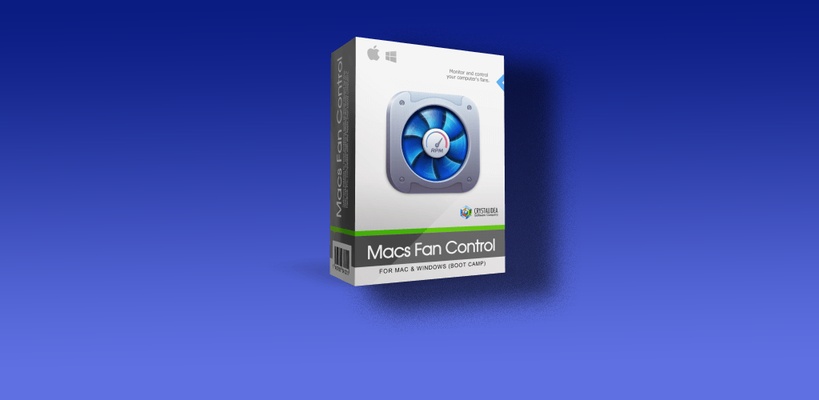
A Boot Camp version of this fan monitor
ParkControl icon
Reduce your PC's energy consumption
FurMark 2 icon
The successor to one of the best stress tests for PC
FanCtrl icon
Control your PC's fans
Canon Inkjet Smart Connect icon
Control your Canon printer from your computer
AutoHideMouseCursor icon
Hide your mouse cursor on Windows
JetClean icon
Clean Your PC in No Time at All
UserBenchmark icon
Check the status of your PC in less than a minute
StressMyPC icon
Test your processor, graphics card and had disc
Fortect icon
Protect your PC and optimize its performance
PrusaSlicer icon
Export files to print on your 3D printer
Windows 11 Manager icon
Manage Windows 11 and modify hidden settings
RollBack Rx PC icon
Restore Windows when errors appear
Fix it Center icon
Detect and solve Windows system errors
Logi Tune icon
Logitech
BeeDoctor icon
Protect, clean, and speed up your system with just one program
WinXP Manager icon
Power up your Windows
ASUS PC Probe icon
Control hardware aspects of the system in ASUS boards
ATITool icon
Optimize the performance of ATI graphics cards
System Scanner icon
Shows your computer's specs
Custom Resolution Utility (CRU) icon
Create custom resolutions on Windows
SpeedFan icon
Control the fans and temperature of your PC

ThrottleStop icon
Power up the performance of your Core 2 or Core i
wushowhide icon
Show or hide any Windows update
Smart Defrag icon
Simultaneous defragmentation of various hard drives

Auslogics Boostspeed icon

Award Winning Computer Tune Up Software
Auslogics Registry Cleaner icon
Make the Windows registry work as it did on day one
TrIDNet icon
Identify the forma of the file you are using
PerformanceTest icon
PassMark Software
Windows Key Viewer icon
WinTools.Info
UCheck icon
Easily update all your software
System Explorer icon
A free, comprehensive task manager
Sidebar Diagnostics icon
A sidebar with all your PC's information
Baku icon
Pedro Miguel C. Cardoso
Mz 7 Optimizer icon
Optimization tool suite for Windows 7
SpyZooka icon
Removes spyware, unwanted programs, junk files, and registry issues

Fastfetch icon
Access all the information about your computer in real time
SpeederXP icon
Speed up your PC
WhatChanged icon
Find changes in your registry immediately
WinZip System Utilities Suite icon
Analyze your PC in search of system updates
WinSettings icon
FileStream, Inc.
RamCleaner icon
Optimize your computer and improve its speed
Registry Recycler icon
Clean the Windows registry
PC Startup Master icon
Manage Windows Startup Apps to Improve PC Speed and Security
Proxyman icon
Monitor HTTP/HTTPS traffic
RAMBooster icon
Control and optimize the use of your RAM memory
Radeon GPU Detective icon
Advanced Micro Devices, Inc. (AMD)
See more

It may interest you